The CompCode MCP server
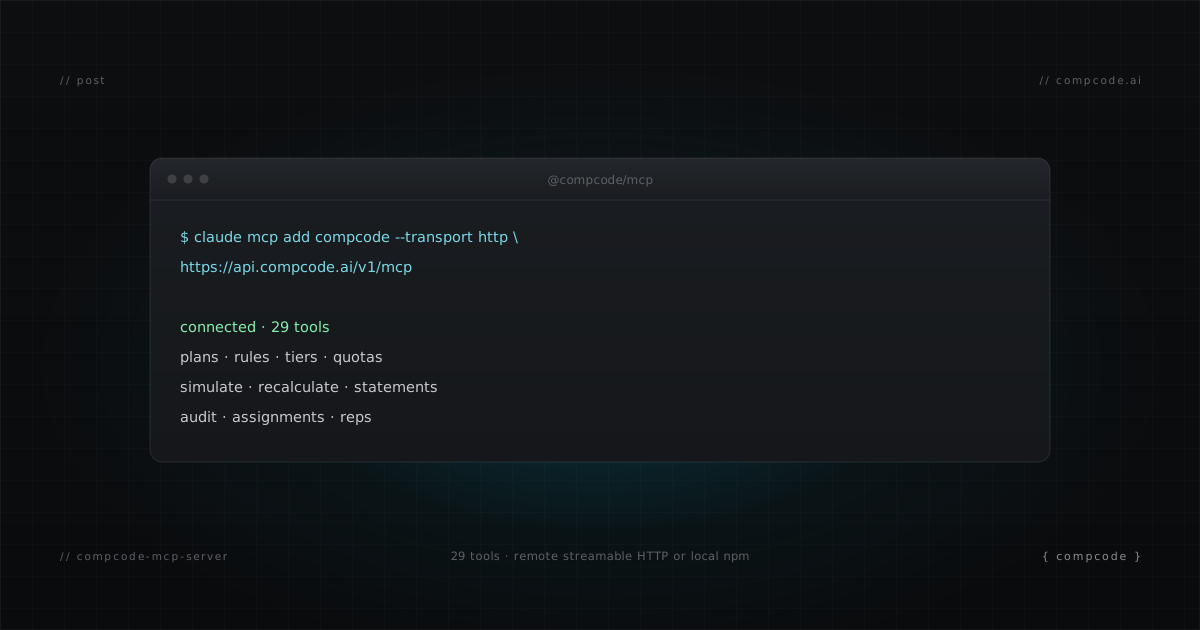
CompCode ships an MCP server that puts commission tracking inside the tools you already work from: Claude Code, Claude Desktop, Cursor, Cline. One install command, 29 tools, the full plan lifecycle. Your agent authors plans, simulates them against real deals, sets quotas, closes the month, and reads the audit log without you writing a single request body. This post covers what the server does, how to install it, and when raw REST is still the better call.
What is an MCP server for commission tracking?
An MCP server for commission tracking exposes commission operations (plan creation, simulation, quota setting, statement approval) as native tools that any MCP client can call: Claude Code, Claude Desktop, Cursor, or Cline. CompCode's server ships 29 tools covering the full plan lifecycle, with plan configs validated before any write reaches your ledger.
MCP (Model Context Protocol) is the open standard for connecting AI agents to external systems. The practical difference from raw REST: the agent gets typed tool schemas instead of guessing request bodies, and guided prompts for common workflows instead of reverse-engineering docs.
How do you install it?
Two transports, same 29 tools. The remote transport is Streamable HTTP with zero install: point your client at api.compcode.ai/v1/mcp with a workspace key. The local transport is an npm package (@compcode/mcp) for Claude Desktop, Cursor, Cline, or offline development. Both need one workspace API key.
# Remote (zero install, works with Claude Code and any Streamable-HTTP client)
claude mcp add compcode --transport http https://api.compcode.ai/v1/mcp \
  --header "Authorization: Bearer ws_your_key"

# Local npm (Claude Desktop, Cursor, Cline, offline/dev)
claude mcp add compcode -e COMPCODE_API_KEY=ws_your_key -- npx -y @compcode/mcp
Workspace keys start with ws_ and are generated in your CompCode settings. The key scopes every tool to your workspace, so the agent can only touch your data.
What do the 29 tools cover?
The 29 tools span seven areas: plan authoring and versioning, dry-run simulation, rep assignments with per-rep overrides, quotas, statements with approval and adjustments, recalculation with async job polling, and workspace data (deals, reps, fields, audit log). Destructive tools are annotated so your client asks for confirmation before they run.
| Area | Tools |
|---|---|
| Plans | create_plan, update_plan, get_plan, list_plans, get_plan_schema, list_plan_templates |
| Simulation | simulate_plan (dry run, no ledger writes) |
| Assignments | assign_plan, unassign_plan, list_assignments, set_rep_overrides |
| Quotas | set_quota, delete_quota, list_quotas |
| Reps | list_reps, sync_reps_from_crm |
| Statements | generate_statements, approve_statement, add_statement_adjustment, remove_statement_adjustment, export_statements, list_statements |
| Calculation and audit | recalculate_commissions, get_recalculation_status, get_commissions_dashboard, list_deals, get_audit_log, get_workspace, list_fields |
The month-end close, a new-plan rollout, a mid-period rep onboarding, and the "why is my commission missing" investigation each map to a short chain of these tools. The same workflows exist as curl recipes in the operator guide if you prefer REST.
MCP tools vs raw REST for the same five operations
Both surfaces hit the same engine; the difference is how much your agent has to know. Raw REST requires the agent to build request bodies, track the two plan IDs, and read error envelopes. The MCP tools carry that knowledge in their schemas, validate plan configs before writing, and gate destructive calls behind confirmation.
| Operation | MCP tool | Raw REST |
|---|---|---|
| Create a plan | create_plan (config validated before write) |
POST /v1/plans with hand-built JSON body |
| Simulate a plan change | simulate_plan |
POST /v1/commissions/simulate |
| Assign reps | assign_plan (resolves plan identity ID for you) |
POST /v1/assignments (you must pass planId, never planVersionId) |
| Generate month-end statements | generate_statements (batch, per-rep results summarized) |
POST /v1/statements/generate, then parse generated/skipped/errors yourself |
| Diagnose a missing commission | get_audit_log filtered by deal |
GET /api/audit-log?actor=orchestrator&dealId=... plus four follow-up reads |
The plan ID distinction in row three is the kind of thing MCP absorbs: plans have a stable identity ID and a versioned config ID, and mixing them up in REST produces a confusing 404. The tool schema simply asks for the right one.
When should you use raw REST instead?
Use MCP when a person is in the loop: an operator driving Claude Code or Cursor through a plan change, close, or investigation. Use raw REST for scripts, CI pipelines, and scheduled jobs where no agent is running: month-end cron jobs, plan deploys from Git, or backfills. Same API key works for both.
A practical split most teams land on:
- Interactive comp work (authoring, investigating, approving): MCP from Claude Code
- Recurring automation (nightly recalc, close-day statement generation): REST from cron or CI
- Plan deploys from a Git repo: REST from the pipeline, because the diff and the change message live in the PR
Everything the MCP server can do, the REST API can do; the server is a typed, validated layer over the same 70 operations. For the full workflow this enables inside a session, see commission tracking from Claude Code.
Free tier covers 10 reps, full engine, full API and MCP access. Install takes one command; the first useful prompt is "list my plans and tell me which reps are assigned to each."