Running comp from an agent session
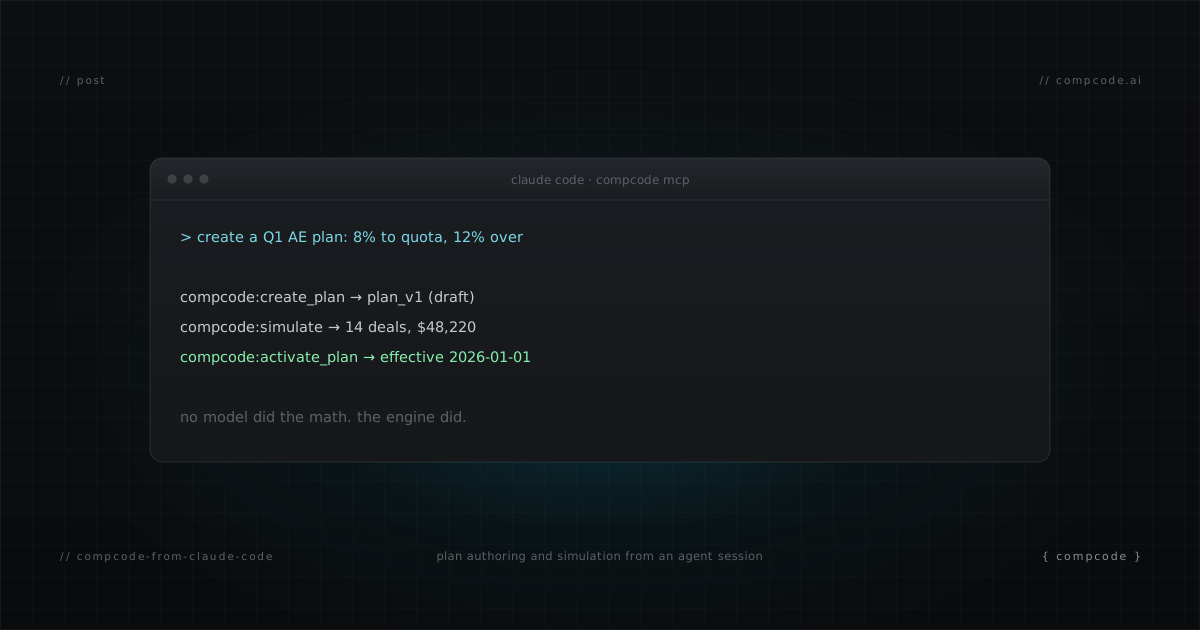
You already ship SQL, dbt models, and ops automations from Claude Code. Commission tracking can live in the same session. Connect CompCode's MCP server or hit its REST API directly, and the full comp workflow (author a plan, simulate it, assign reps, close the month, chase a missing commission) becomes conversation plus tool calls. This post walks the complete loop with real commands. No dashboard at any step.
What does commission tracking from Claude Code look like?
Commission tracking from Claude Code means connecting CompCode's MCP server (or REST API) to your session and running the entire compensation workflow in conversation. You author a plan, simulate it against real deals, assign reps, set quotas, generate statements, and diagnose missing commissions. You never open a dashboard. Every operation is a tool call or a curl command.
The pieces that make this work:
- An MCP server with 29 tools covering plans, simulation, assignments, quotas, statements, recalculation, and the audit log
- A REST API where every dashboard operation is an endpoint, documented in an OpenAPI 3.0 spec (70 operations)
- A drop-in operator guide at
api.compcode.ai/CLAUDE.mdwith end-to-end recipes, engine invariants, and error recovery - Plans as JSON, so Claude Code can draft, diff, and review comp logic the same way it handles any other config
How do you connect CompCode to Claude Code?
One command. CompCode ships an MCP server with 29 tools over Streamable HTTP, so Claude Code connects remotely with zero install. Generate a workspace API key (starts with ws_) at app.compcode.ai, run claude mcp add, and every plan, quota, statement, and recalc operation becomes a native tool in your session.
# Remote (zero install, Streamable HTTP)
claude mcp add compcode --transport http https://api.compcode.ai/v1/mcp \
  --header "Authorization: Bearer ws_your_key"

# Local npm (Claude Desktop, Cursor, Cline, offline/dev)
claude mcp add compcode -e COMPCODE_API_KEY=ws_your_key -- npx -y @compcode/mcp
Prefer raw REST? Pull the operator guide into your project and Claude Code drives the API with curl:
curl -O https://api.compcode.ai/CLAUDE.md
That file covers auth, the plan ID model, five workflow recipes, and an error-code table. Claude Code reads it once and knows the whole surface. Details on how Claude Code loads MCP servers are in the Claude Code MCP docs.
Author a plan and simulate it before saving
Describe the plan in English and Claude Code drafts the JSON config: rules, tiers, conditions. Before anything writes to the ledger, run a simulation. The dry run replays your real closed deals through the draft plan and returns a per-rule breakdown with a full engine trace. You review the numbers, then save.
The REST version of the loop, straight from the operator guide:
# 1. Create the plan from the config Claude Code drafted
curl -s -X POST https://api.compcode.ai/v1/plans \
  -H "Authorization: Bearer $COMPCODE_API_KEY" \
  -H "Content-Type: application/json" \
  -d '{ "name": "AE Plan 2026", "effectiveStart": "2026-01-01", "config": { ... } }'

# 2. Assign reps
curl -s -X POST https://api.compcode.ai/v1/assignments \
  -H "Authorization: Bearer $COMPCODE_API_KEY" \
  -H "Content-Type: application/json" \
  -d '{ "repIds": ["<rep_id>"], "planId": "<planId>", "effectiveStart": "2026-01-01" }'

# 3. Dry-run BEFORE writing any events
curl -s -X POST https://api.compcode.ai/v1/commissions/simulate \
  -H "Authorization: Bearer $COMPCODE_API_KEY" \
  -H "Content-Type: application/json" \
  -d '{ "planId": "<planId>", "period": "2026-Q1" }'

# 4. Recalculate for real
curl -s -X POST https://api.compcode.ai/v1/commissions/recalculate \
  -H "Authorization: Bearer $COMPCODE_API_KEY" \
  -H "Content-Type: application/json" \
  -d '{ "planId": "<planId>" }'
Over MCP, the same loop is create_plan, assign_plan, simulate_plan, recalculate_commissions, with the config validated before the first write. Either way the rule holds: simulate first, always. Bad commission events are sticky.
Close the month without opening a dashboard
Month-end close is two calls. POST /v1/statements/generate with a period creates a draft statement for every active rep in one request. You review the totals with Claude Code, then approve each statement with a status change. Approval locks the period: no webhook or recalc can alter an approved statement.
# Batch-generate drafts for every active rep
curl -s -X POST https://api.compcode.ai/v1/statements/generate \
  -H "Authorization: Bearer $COMPCODE_API_KEY" \
  -H "Content-Type: application/json" \
  -d '{ "period": "2026-07" }'

# Approve after review (per rep)
curl -s -X POST https://api.compcode.ai/v1/statements/<rep_id>/approve \
  -H "Authorization: Bearer $COMPCODE_API_KEY" \
  -H "Content-Type: application/json" \
  -d '{ "period": "2026-07", "status": "approved" }'
Claude Code summarizes the generate response (payouts, skipped reps, errors) before you approve anything. If a number looks wrong, you investigate in the same session instead of exporting a CSV and squinting.
Diagnose a missing commission in five steps
When a rep asks where a commission went, walk a fixed diagnostic order: the audit log for the orchestrator run, whether events were written, the plan assignment dates, the quota for the period, then the deal snapshot. Stop at the first step that answers the question.
# 1. Did the engine run for this deal?
curl -s "https://api.compcode.ai/v1/workspaces/audit-logs?actor=orchestrator&dealId=<deal_id>" \
  -H "Authorization: Bearer $COMPCODE_API_KEY"

# 2. Were commission events written?
curl -s "https://api.compcode.ai/v1/commissions?dealId=<deal_id>" \
  -H "Authorization: Bearer $COMPCODE_API_KEY"

# 3. Is the rep assigned to a plan covering the deal's close date?
curl -s "https://api.compcode.ai/v1/assignments?repId=<rep_id>" \
  -H "Authorization: Bearer $COMPCODE_API_KEY"

# 4. Does a quota exist for the period? (no quota means 0% attainment)
curl -s "https://api.compcode.ai/v1/quotas?repId=<rep_id>&period=2026-Q3" \
  -H "Authorization: Bearer $COMPCODE_API_KEY"
Claude Code runs the sequence, reads the counters in each response, and reports the root cause in plain language: "the assignment starts July 15 but the deal closed July 9." That answer used to be a support ticket.
What changes when comp lives in your terminal
Speed and audit trail. A plan change that takes a click marathon in a UI-based tool is one PATCH with a change message, and that message becomes the audit log. Simulation runs before every write, so you test comp changes the way you test dbt models: against real historical data, before deploy.
The deeper shift is that commission logic stops being a system you visit and becomes part of the stack you already operate. Plans are JSON you can keep in Git. Close is a script you can rerun. Investigations are five reads with a deterministic order. For the category-level view of what a programmable comp platform must cover, see the commission API guide.
Free tier covers 10 reps with the full engine and full API access. Generate a key, run the claude mcp add command above, and ask Claude Code to list your plans.