Leaving Spiff without losing your history
A practical playbook for moving your commission management off Spiff (Salesforce Spiff) onto CompCode without losing historical data, plan versions, or rep trust. This guide covers field mapping, JSON plan translation, dry-run simulation against real deals, and the parallel-run cutover that gets you to zero variance before flipping the switch.
Why migrate from Spiff to CompCode
Most Spiff migrations start one of three ways: a renewal where Salesforce-bundle pricing comes in higher than expected, a CRM move to Attio or HubSpot, or a RevOps team that wants faster plan changes than Spiff supports. The Salesforce acquisition closed in 2023 and the product has been gradually folded into the Salesforce ecosystem, slowing independent feature velocity.
CompCode addresses each of those triggers: lower pricing with public per-rep tiers, native integrations with Attio and HubSpot (not just Salesforce), and a REST API that lets plan changes ship in minutes instead of weeks. The technical migration is straightforward because both systems model commissions similarly (plans, rules, tiers, conditions); the differences are in delivery (UI-only versus API-first) and pricing (custom contracts versus public per-rep).
What changes (and what stays the same)
Three things stay the same. Your CRM is still the source of deal truth. Your reps still see commission breakdowns per deal. Your finance team still gets an exportable statement at the end of each period. The mental model of "plan + rules + tiers + quotas + reps + deals" carries over directly, because that is just how commissions work.
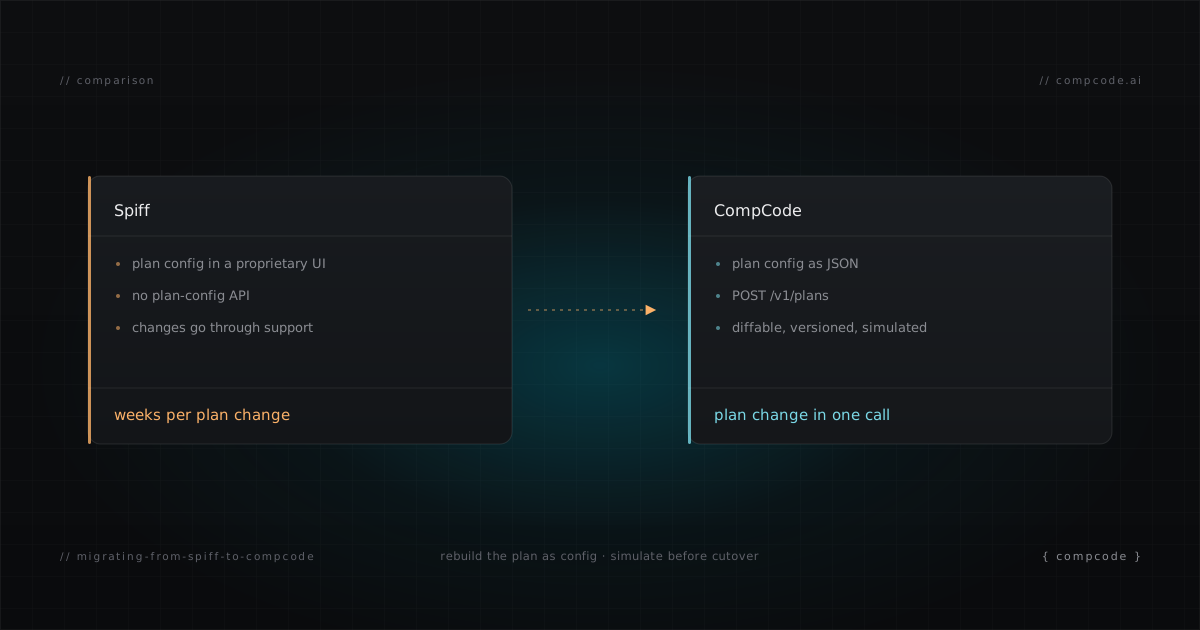
Three things change. Plan configuration moves from a proprietary UI to JSON files you can store in Git and POST to the API. Audit trail becomes a queryable immutable ledger instead of an activity log. And the dashboard becomes one client on top of the API rather than the only path to change anything.
Step 1: Export your current plan structure from Spiff
Pull a complete inventory of every active plan, rule, tier, condition, assignment, and quota from Spiff. There is no one-click export of plan structure, but you can either screenshot every plan section and reconstruct, or use Spiff's reporting API to pull rule-level data into a CSV. Either way, end up with one document per plan that lists every rule's name, base field, tier thresholds, rates or flat amounts, conditions, and the reps assigned to it.
While you are in Spiff, also export the last four quarters of commission events. You will not import them into CompCode (the immutable ledger stays authoritative on Spiff's side for history), but you need them for the simulation step below.
Step 2: Map your CRM fields to CompCode
CompCode reads deal data through a workspace-level field mapping. For each plan rule, identify which CRM field provides the measure (usually amount, deal_value, or closed_won_revenue), the deal stage field, the close date, the deal owner, and any condition fields like deal_type or channel. The mapping is configured once via the Integrations page or via the API.
For Spiff users on Salesforce, the field names will likely match what Spiff was already reading; for teams moving CRMs at the same time, this is the moment to standardize the field names on the new side. Document the mapping before translating any plans. Half of all migration bugs trace to a field that got renamed silently between the two systems.
Step 3: Translate the plan to CompCode JSON
Both systems model commissions with the same primitives (plan, rules, tiers, conditions, quotas), so the translation is mechanical: read each Spiff rule's payout mode and convert it into the CompCode equivalent. Tiered rate plans become tierBy: "attainment" with rate-per-tier. Flat bonuses become a single tier with flatAmount. Margin plans become tierBy: "value" with tierValueField. The pattern below covers the most common shape:
{
  "name": "AE Q2 2026",
  "version": 1,
  "effectiveStart": "2026-04-01",
  "rules": [{
    "name": "ACV Commission",
    "measure": "closed_won_revenue",
    "attainmentPeriod": "quarterly",
    "tierBy": "attainment",
    "tierMode": "full_rate",
    "tiers": [
      { "tierIndex": 0, "minThreshold": 0,   "rate": 0.10 },
      { "tierIndex": 1, "minThreshold": 1.0, "rate": 0.15 },
      { "tierIndex": 2, "minThreshold": 1.2, "rate": 0.20 }
    ]
  }]
}
If your Spiff plan uses bonuses or SPIFs, add a second rule with payoutBase: "1", a single tier with flatAmount, and a conditions array. If you have margin-based tiers, use tierBy: "value" with tierValueField: "margin_percent" instead of attainment. The Commission Plan Examples post has the full pattern library for the five common plan shapes.
POST the resulting JSON to /v1/plans, capture the returned planId and version ID, and continue.
Step 4: Simulate against historical deals
This is the step that buys your migration credibility with the comp team. CompCode exposes POST /v1/commissions/simulate which runs a plan against arbitrary deal data without writing to the ledger. Feed it the last quarter of deals you exported from Spiff and compare the calculated commissions to what Spiff actually paid out.
curl -X POST https://api.compcode.ai/v1/commissions/simulate \
  -H "Authorization: Bearer $COMPCODE_API_KEY" \
  -H "Content-Type: application/json" \
  -d '{
    "planId": "plan_abc123",
    "repId": "rep_001",
    "period": "2026-Q1",
    "deals": [ /* paste exported deals */ ],
    "dryRun": true
  }'
If the totals match Spiff to the dollar, the translation is correct. If they do not, the variance is almost always a field-mapping issue (Step 2) or a tier-threshold off-by-one (Step 3, usually because Spiff uses inclusive boundaries and CompCode uses half-open). Fix and re-simulate. Iterate until variance is zero.
Step 5: Parallel run, then cut over
Do not flip your reps' source of truth on the simulation pass. Run both systems in parallel for at least one full pay cycle. CompCode's webhook listener can subscribe to the same CRM events Spiff is subscribed to, so every closed deal triggers a calculation in both systems. Compare the per-deal commission events between Spiff and CompCode each week. When the variance report shows zero for two consecutive weeks (or one full pay period, whichever is longer), cut over.
The cutover itself is anticlimactic by design: turn off Spiff's webhook subscription, leave CompCode's running, send the reps a one-line note that statements now live in CompCode, and freeze Spiff for archival access only. Statements for periods before the cutover stay readable in Spiff. Statements for periods after the cutover come from CompCode.
What about my historical commission data
Leave it where it lives. The Spiff immutable ledger remains the source of truth for any commission event calculated under Spiff. CompCode's ledger starts at the cutover date. There is no good reason to import historical events into a second system (and several reasons not to, including audit-trail integrity and the inability to recreate the exact Spiff plan version that produced each event).
If a rep asks about a payment from before the cutover, you read it from the archived Spiff export. If they ask about a payment from after the cutover, you read it from CompCode. Two systems for history, one system for everything new. After two years (or your jurisdiction's statute-of-limitations window for commission disputes), the Spiff archive can be retired.
For more on how CompCode's immutable ledger works, see API-First Commission Management. For pricing during the parallel-run period, see /pricing (CompCode is free for the first 10 reps, so most parallel runs cost nothing on the CompCode side).