From OAuth connect to first payout
HubSpot tells you which deals closed. It does not tell anyone what those deals pay. So the comp admin exports to a spreadsheet, rebuilds the plan logic in formulas, and reps learn their number days later, usually after asking twice.
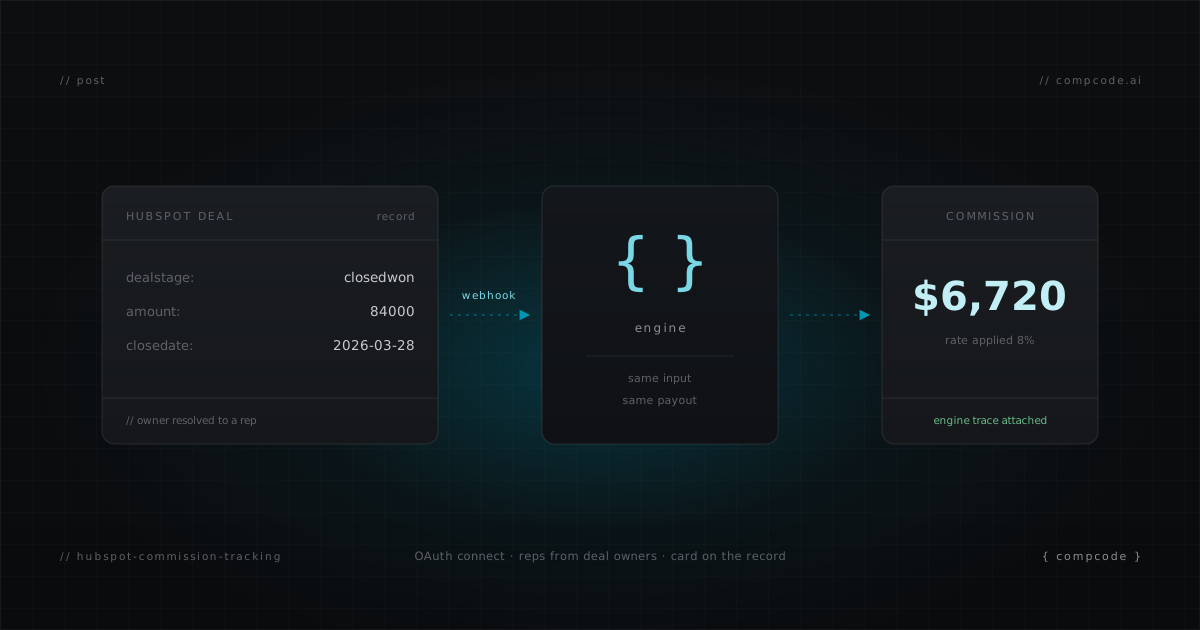
CompCode removes that export step. It connects to your HubSpot portal via OAuth, syncs your deal owners as reps, recalculates commissions on every deal change through webhooks, and puts a commission card directly on the deal record. Setup is self-serve, and a working pipeline takes about 15 minutes.
How commission tracking works with HubSpot
CompCode connects to HubSpot through OAuth, syncs deal owners as reps, imports your deal history, and subscribes to webhooks for live updates. When a deal changes, the engine evaluates the owner's assigned commission plan against the deal properties and records the payout in a ledger, with every mutation kept in history for audit.
A few mechanics matter in practice:
- Owner resolution by email. HubSpot deal owners are matched to CompCode reps by email address, so commissions land on the right person even if names differ between systems.
- Webhook debouncing. HubSpot typically fires around four webhook events per deal close. CompCode debounces the burst and calculates once, against the final deal state.
- Condition fields stay subscribed. CompCode auto-subscribes
deal.propertyChangewebhooks for every property your plan conditions reference. Add a condition on deal type, and edits to that property start triggering recalcs without any manual webhook configuration. - EU portals supported. The OAuth flow handles EU-hosted portals; region is detected and stored per workspace.
Set up HubSpot commission tracking in 15 minutes
Connect HubSpot from the Integrations page at app.compcode.ai, let the rep and deal sync finish, then create a plan, assign reps, and set quotas through the dashboard or the REST API. Run a dry-run simulation to check the numbers before anything goes live. The whole sequence is five steps.
- Connect HubSpot. Click Connect HubSpot at app.compcode.ai and approve the OAuth scopes. This provisions your workspace, registers webhooks, and works for both US and EU portals.
- Sync reps. CompCode pulls your HubSpot owners and creates reps, matched by email. Deactivate anyone who should not be in commission calculations.
- Create a plan. Use the dashboard plan builder, or send the config as JSON:
curl -X POST https://api.compcode.ai/v1/plans \
  -H "Authorization: Bearer $COMPCODE_API_KEY" \
  -H "Content-Type: application/json" \
  -d '{
    "name": "AE Plan 2026",
    "effectiveStart": "2026-01-01",
    "config": {
      "rules": [{
        "name": "ACV Rate",
        "measure": "closed_won_revenue",
        "attainmentPeriod": "quarterly",
        "tierBy": "attainment",
        "tierMode": "full_rate",
        "tiers": [
          { "minThreshold": 0,   "rate": 0.08 },
          { "minThreshold": 1.0, "rate": 0.12 }
        ]
      }]
    }
  }'
- Assign reps and set quotas.
POST /v1/assignmentslinks reps to the plan with an effective date;POST /v1/quotassets each rep's target per period. Attainment-tiered plans need quotas to compute percentage of target. - Simulate, then go live.
POST /v1/commissions/simulateruns the real engine as a dry run against your synced HubSpot deals and returns a per-rule breakdown with a full trace, writing nothing. When the numbers match your expectations, the webhook pipeline takes over.
For ready-to-send plan configs covering tiers, accelerators, and bonuses, see 5 Commission Plan Examples for SaaS Sales Teams.
Commissions inside HubSpot deal records
CompCode installs a CRM card on HubSpot deal records, so commission data appears where reps already work. Opening a deal shows the commission amount, the rate that was applied, and the plan behind it, read live from CompCode. Reps stop asking "what does this deal pay me," because the answer sits on the deal itself.
The card is the rep-facing surface. Managers and admins use the CompCode dashboard for the rest: quota attainment per rep, team rollups, and statements that can be generated, approved, and exported for payroll. Both surfaces read from the same ledger, so a deal that just closed in HubSpot shows the same number in the card and the dashboard.
Plan changes without tickets
Because plans are versioned JSON configs behind a REST API, a mid-quarter change is an API call, not a support ticket. Update the rate, run a simulation against real closed deals to see exactly which payouts move, then trigger a recalculation. The old version stays intact, so every historical payout remains traceable to the config that produced it.
The same flow works from an AI agent. CompCode ships an MCP server with 29 tools covering plans, quotas, assignments, statements, and simulation, so you can tell Claude "raise the accelerator to 12% and show me who is affected" and review the simulated diff before anything is written. Plan configs are validated before any write, and destructive tools require confirmation.
curl -s -X POST https://api.compcode.ai/v1/commissions/simulate \
  -H "Authorization: Bearer $COMPCODE_API_KEY" \
  -H "Content-Type: application/json" \
  -d '{ "planId": "<planId>", "period": "2026-Q1" }'
What it costs
The Free tier covers teams up to 10 reps and includes every feature: the full engine, the HubSpot integration, the CRM card, and full API access, no credit card required. Pro is $199/month flat for up to 25 reps and adds priority email support. Contracts are month-to-month with no annual commitment.
That means you can wire up your HubSpot portal, run a real month of commissions in parallel with your spreadsheet, and only pay when the team outgrows the free tier. Full details are on the pricing page, and the API reference lives in the docs.